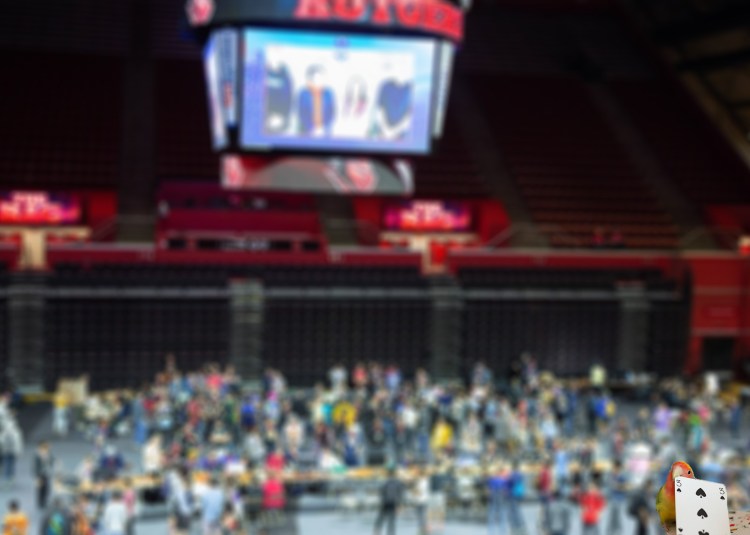
My header image is incredibly basic because I have seen far to many terrible amateur photo shops as website headers and did not want to bite off more than I can chew and end up with an ugly, cluttered header. The main image on the header is an overhead shot of one of the events I ran (the Scarlet Classic V at the RAC) with a small bird holding a playing card I cutout of an image and placed in the corner to go with the Bird Cult name. While the bird does not connect to my target audience, seeing tons of people mill about should help my target audience associate the bird cult name with larger events, which is important because most people would rather fill convention centers than class rooms and comic shops.
The Scarlet Classic V image was used with permission from Rutgers esports which is why I am sure I am able to use it. The picture of the bird was found on Flickr using googles advanced image search and limiting the images to free to use share or modify. I am not going to be monetizing this site or image so this level of usage rights is fine for my purposes.
My production process was fairly straightforward but slightly more time consuming than I thought it would be. I struggled with photoshops blur filter but eventually got it to work the way I wanted. It did things like blurring only certain points, not blurring enough or the way I wanted to, as well as blurring the whole image instead of just the background layer. Cutting out the bird was also annoying until I started using photoshops very helpful and mostly functional smart area selection tool. The tools I used only work in this non traditional medium although the eraser sizes do somewhat pull from reality, what the erasers actually do is nothing like the real world.
This kind of photo manipulation would not work on a bitmap editor such as paint, since paint does not support layers or advanced tools like blur, smart selection, and most importantly layering. I could theoretically blur the original image and cut the bird out separately in PS and then “stack” them in a bitmap image. However, if I did this I would not be able to move the bird without having to completely restart my image since it would not “save” what pixels/image is underneath the bird and would just have white space in its place since as I stated before paint and other bitmap images do not use layers.
 BirdCult Events